01
Drone catalogue
Browse aircraft by name, manufacturer, propeller size and category. Find a starting point for your exploration.
ROTOR
ROTOR is an interactive drone workbench that brings aircraft configurations, component explanations, assembly and simulated flight into one browser-based environment. Explore how the parts fit together, inspect their connections and experiment with different configurations.
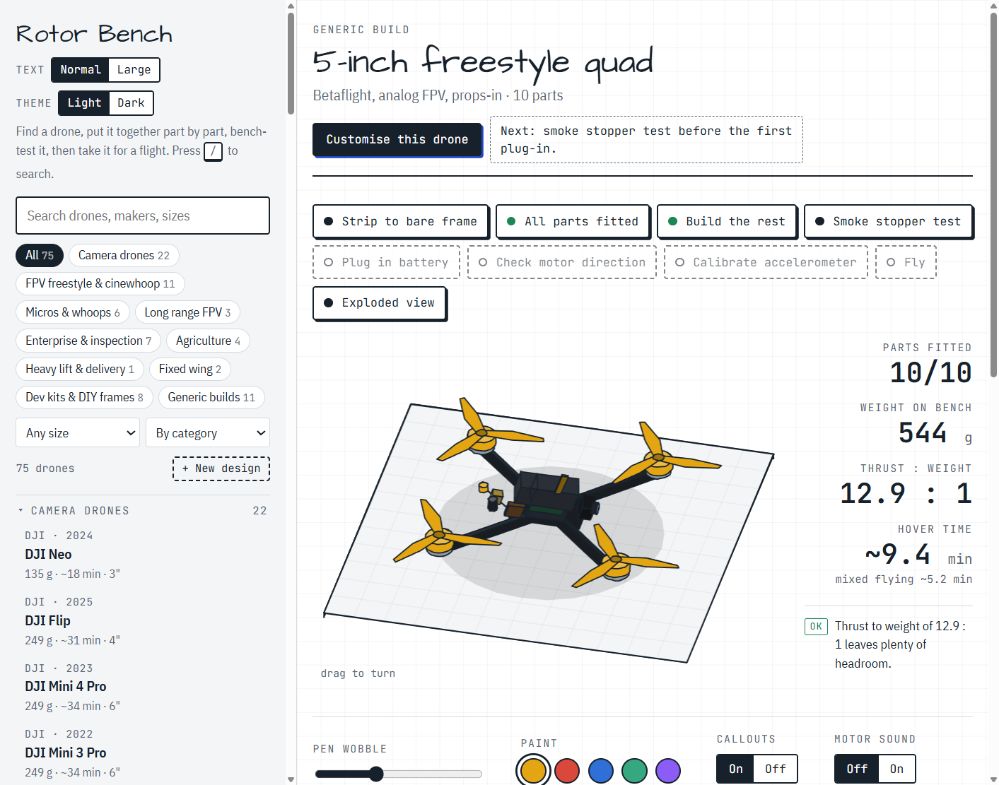
From the airframe to the connections inside it. Explore each layer at your own pace.
Browse aircraft by name, manufacturer, propeller size and category. Find a starting point for your exploration.
Rotate the isometric aircraft view and use the exploded view to see how its components fit together.
Explore battery, motor, propeller and video-system options on supported aircraft.
Follow the virtual build and check sequence, from fitting parts to power-up and motor-direction checks.
Inspect the connection diagram and select component blocks to learn what each part does.
After the available bench checks, try the configured aircraft in the application’s flight environment.
Three steps through the workbench. Follow the connections and see the build come together.
Find a starting point in the catalogue.
Inspect components, connections and available configuration options.
Run the available bench checks and enter simulated flight.
ROTOR is an evolving prototype exploring an accessible way to learn about drone systems through interaction. Models, component data and simulated behaviour may be simplified and will develop as the project progresses.
Explore the prototype in the separate ROTOR application.